
A reorder is not a repeat of the first order just because the purchase order says the same thing. Between two runs a formula version, a tube supplier, an artwork revision or a filling line can move, and the paperwork travelling with the second batch is where those movements show up.
This checklist sets out what to compare, and what to do when a field does not match, before the batch ships.
1. What this check is, and what it is not
Reorder verification compares the document set of a new batch against the batch you already accepted, field by field, to find differences you were not told about. It is not a sample test and it does not repeat the pre-order approval. Three checks get confused, so keep them separate.
- Sample versus batch compares delivered goods to the physical reference you approved; see our approved sample comparison.
- Traceability asks what happened inside one batch; our batch records guide covers the request.
- Reorder verification, this page, compares two batches with each other.
2. Hold the two document sets side by side
Request for the new batch the same document set you received for the first, then compare these fields. Where the first order produced no document, that gap is the finding.
| Document | Field to compare | What counts as a match |
|---|---|---|
| Specification | Formula version identifier | The same identifier, or a declared change with a date |
| Component list | Tube, cap and carton codes | The same codes, or a revision you approved in writing |
| Fill sheet | Declared net content per unit | Within the tolerance agreed for the first order |
| Artwork | Revision number and approval date | The revision you signed, not a later one |
| Batch record | Batch code, line, date, quantity | Complete and traceable to your purchase order |
| Lot release document, if the first order had one | Test list and result format | The same test list, filled in for this batch |
None of that asks whether a number is good, only whether it is the same.
Before you read any values, tie the record to your goods
Match the purchase order reference to the batch code, confirm the recorded quantity is at least what you ordered, and confirm the same batch code appears on the units or cartons rather than only on the document. If it cannot be found on the goods, stop there; further values will not help until the two are connected.
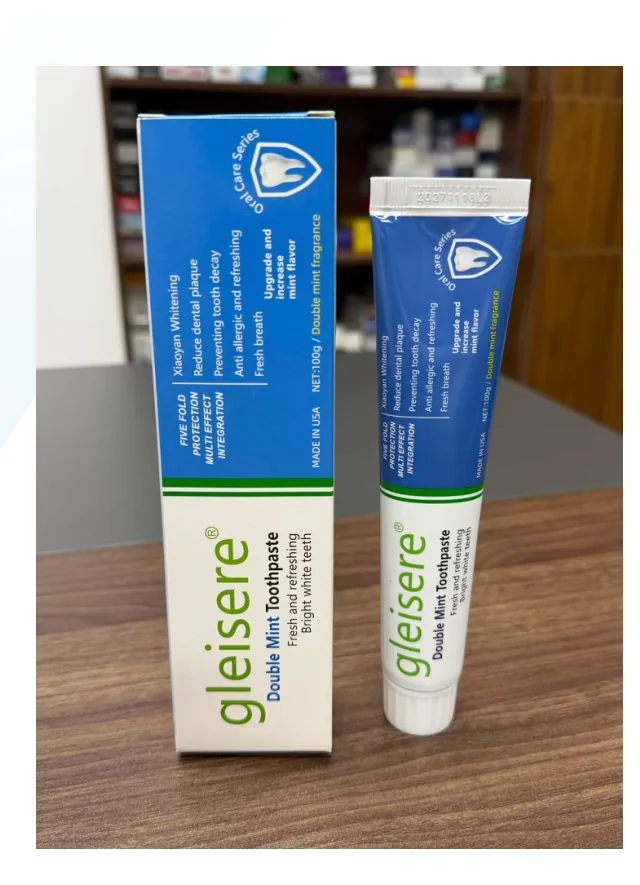
3. Start with the four fields buyers skip
Most reorder checks fail on fields that look identical from outside the carton. Check these first.
- Formula version code. A specification can be reissued without changing the product name or the front of the tube. Ask for the identifier, not the document title.
- Component revision. Tube, cap and carton are usually sourced separately from the paste, so a new tube supplier can change wall thickness and cap fit while the specification stays valid.
- Declared net content. Compare the figure and its tolerance, not the carton print; a moved fill target is a commercial difference, not a printing one.
- Artwork revision. Confirm the printed revision matches the file you approved, including any market-specific text on the tube.
If a supplier cannot produce a version identifier for one of these, ask how they would tell a new batch from an old one.
4. Reading a field that does not match
Not every difference is a problem, and treating them all as problems makes the check unusable. Sort the difference before you react to it.
| What you observed | What it usually means | What to do before release |
|---|---|---|
| New version, with a dated change notice | A declared change | Read the notice, then confirm the affected attributes against the current batch record |
| New component code, no notice | A substitution | Ask which part changed and whether the approved artwork still fits |
| Same values, different line | A capacity move | Ask for the first batch produced on that line |
| Field reads "as before", or repeats every digit | The record may have been copied, not produced | Ask for the batch-specific record with its own measured values |
| Fill weight outside the written tolerance | A filling issue | Hold release and ask for the check-weigh data |
The fourth row is the one buyers miss. A record that repeats the previous batch exactly is usually a template; a real filling run produces values that differ slightly.
5. The reorder verification record
Keep this with the first order file rather than in a separate folder, so the two batches stay comparable. A blank field is a finding, not a failure of the form.
| Field | Entry |
|---|---|
| Order and batch | First order reference, new order reference, new batch code: ______ |
| Specification version | First version, new version, change notice received (Y/N): ______ |
| Component codes | Tube, cap, carton — matched (Y/N), differences: ______ |
| Net content | Declared figure, tolerance, measured value: ______ |
| Artwork revision | Approved revision, printed revision: ______ |
| Undeclared differences | List, the answer received, the date: ______ |
| Decision | Release / release with conditions / hold — and who decided: ______ |
6. What this check cannot prove, and the next step
It cannot show that the second batch behaves like the first in use; that needs a physical check, which is what the pre-shipment inspection is for. It cannot tell you whether a difference matters in your market. And it cannot stop the next change — only a notice clause can, which is why the change control arrangement belongs in the purchase order rather than in an email thread.
What it does give you is a written comparison instead of an assumption. Send the document set from your first order with the batch record for the shipment you are about to release, and we will compare the fields with you — send both files and the purchase order reference to start.