
Before approving toothpaste packaging artwork, confirm the exact SKU, packaging component and file revision, then check the text, layout and production instructions against an agreed reference. Approval should identify what is released and what remains open. A message saying “looks good” leaves too much room for different interpretations.
As a factory working with overseas buyers, we recommend separating the commercial product brief from the artwork release record. Importers, distributors and private label brands can use the checklist below to organize their review with our team. Printing options, proof arrangements and production timing must be confirmed for the particular project.
1. Establish one reference for each packaging component
Start with the product specification and a list of components: tube or bottle, individual carton, label if applicable, and shipping carton. Give each artwork file a clear name containing the product reference, component, market or language version, and revision. Do not identify the approved file only as “final” when several files share that name.
Ask the packaging contact to confirm the correct structural drawing or dieline before placing artwork. Record its revision with the design file. If the pack size, closure or construction changes, ask which drawings and proofs require another review. Confirm component dimensions with the supplier instead of measuring a product photograph.
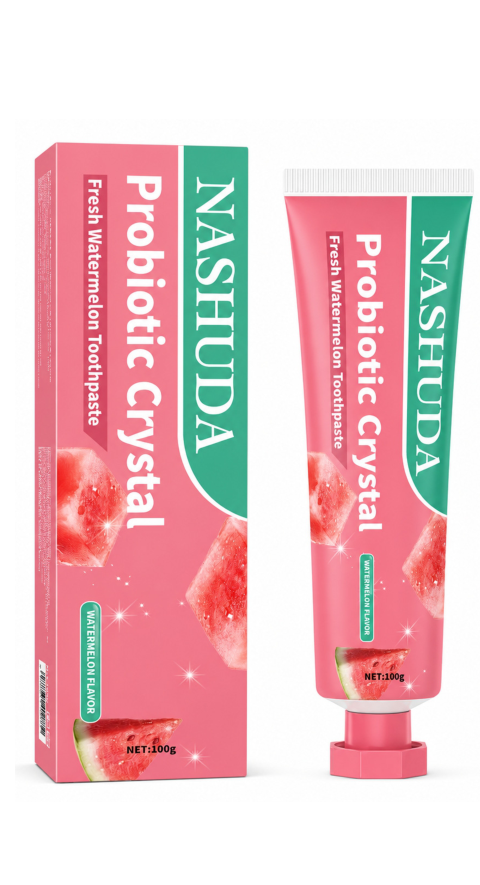
2. Assign the review responsibilities before circulation
Name the person coordinating comments, the person approving brand content, and the reviewer responsible for destination-market labeling questions. Ask the factory or packaging printer to identify the technical file requirements for the chosen process. Keep those responsibilities visible so a design approval is not mistaken for confirmation of every product claim.
Provide the actual approved product information for review. Do not copy ingredient text, performance claims, certification marks or company details from another SKU. If supporting material is missing, mark the item unresolved and request confirmation. This checklist organizes a review; it does not determine which label statements are legally required in every market.
3. Review the tube and carton together
Use the following table for every SKU. Record a result, reviewer and evidence reference for each row. An unchecked field means the release is incomplete, not that the item was acceptable by default.
| Check | Compare against | Record before release |
|---|---|---|
| Product identity | Approved SKU, variant, flavor and pack specification | Matching identity across all components |
| Text and language | Reviewed master copy and translations | Corrections closed in the current revision |
| Product statements | Confirmed information and relevant supporting evidence | Responsible reviewer's decision on open claims |
| Layout and orientation | Current supplier drawing and assembled pack view | Text remains in the intended readable panels |
| Colors and finishing | Agreed references and printer's file requirements | What the proof demonstrates and its limitations |
| Barcode | Correct item data and applicable GS1 guidance | Data check and agreed printed-code assessment |
| Variable information | Agreed batch and date coding instructions | Reserved location and an identified coding method |
| Release identity | File name, revision and proof reference | Named approver, date and precise release scope |
Inspect the assembled orientation as well as the flat artwork. Ask whether important text or codes could fall across a fold, seam or covered panel. Confirm the relevant safe areas and printing constraints with the supplier; a universal margin copied from another packaging process may not suit this component.
4. Check barcode data and printed presentation separately
First confirm that the encoded number belongs to the intended item and packaging level. Then review how the symbol will appear on the actual pack. GS1's barcode quality checklist includes clear surrounding space, contrast, symbol size and placement. It also identifies packaging features and damage as possible reading problems.
Ask who will arrange the appropriate printed-barcode assessment and retain the result with the proof record. A screenshot of the design cannot show every effect of the packaging material and printing process. If the code is resized or moved after review, identify that change explicitly rather than carrying the earlier approval forward without checking.
5. State what each proof is intended to demonstrate
Ask whether you are reviewing a screen PDF, a printed proof, an assembled mock-up or a production sample. List the decisions that can be made from that particular item. A digital layout review and an assessment of the physical package answer different questions; neither should silently stand in for the other.
For colors or finishes important to your brand, agree the reference and review method with the printer. Do not assume that a phone display is the production color standard. For a physical sample, record its identifier, what matches the proposed order and what is still representative or provisional. Our sample evaluation checklist helps document that distinction.
6. Consolidate corrections into one controlled revision
Collect comments in one list with numbered items and clear locations. Resolve conflicting instructions before returning it. When the revised file arrives, check each requested correction and inspect the surrounding content for unintended changes. Keep earlier files for the record, but clearly distinguish them from the version intended for release.
For example, a hypothetical buyer changes a flavor name on the carton after approving the tube. The next step is to compare both components and decide whether the tube also needs revision. Updating only the carton and relying on memory would leave the two approvals disconnected.
7. Use a written release record
Suggested approval record: Product/SKU [reference]; destination/language [version]; component [tube/carton/label]; artwork file [name and revision]; drawing [revision]; proof/sample [identifier]; approved scope [specific work]; open items [none or explicit hold items]; approver [name and role]; date [actual date].
State explicitly whether the record authorizes production or only confirms a review stage. If any required item remains unresolved, identify the hold and the person responsible for closing it.
If a change is requested after release, contact the factory before assuming it can be incorporated. Ask what work has already started and whether the change affects files, materials, charges or timing. Keep a new revision and written confirmation of the agreed next step.
Preparing packaging for your toothpaste order? Send our factory team the product reference, destination, component list and artwork status. Use our NASHUDA product collection for catalog references and our factory sourcing guide for project context.